We are constantly adding new updates to improve your experience.

We’ve just introduced a new feature designed to save you and your customers time. Once a project is complete, customers can generate their own invoice with a single click right from the Client Portal. This self-serve option eliminates back-and-forth and manual work, while ensuring invoices are sent directly to their email. It’s a smoother, more professional experience for them—and a time-saver for you.
This one’s here to save you from all that manual typing. If you’re doing the same type of service often, just add it to your Pricebook. That way, you can quickly add pre-set services and pricing to your estimates, cutting down on manual entry and keeping things consistent across your jobs. It helps you create estimates faster and avoid mistakes.
New feature alert! You can now capture before-and-after photos for every job and store them right in Clientility. These photos help show off the transformation and quality of your work, and they’re super useful for keeping things organized whether for your reference or sharing with clients. It’s a great way to highlight improvements, explain pricing, or handle any concerns down the line. Having a clear visual timeline makes your service feel more professional and transparent. Plus, with everything neatly organized, you can easily revisit past jobs, build a killer portfolio for future estimates, and keep showing your clients the value you bring.
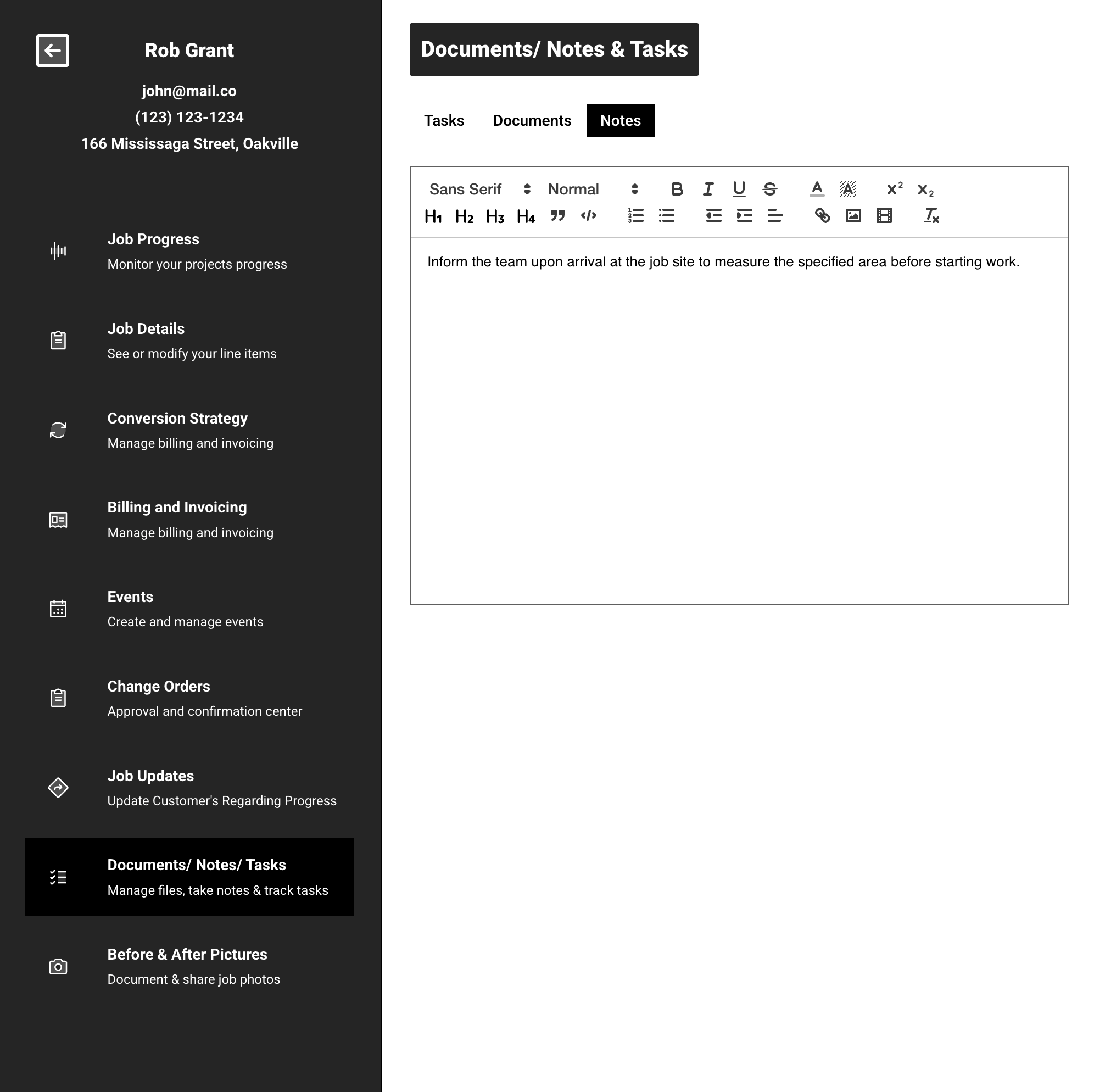
A customer requested this feature, so we added it right away! Now, you can use internal notes to capture important details, special instructions, or follow-up reminders that are visible only to you and your team. This helps keep everything in one place, so your team stays on the same page and avoids any mix-ups. Internal notes make it easier to stay organized, work more smoothly together, and keep things running on track so you can focus on delivering great service.
We just added this feature to help you plan more efficiently. When creating an estimate, you can now instantly view a map showing exactly how far the customer is from your location. This built-in map gives you quick insight into travel time, potential costs, and whether the job is feasible. Whether you’re managing multiple job sites or optimizing your team’s daily routes, knowing the customer’s location right from the start ensures accurate pricing and smoother scheduling.
This one came straight from a customer who told us he wished he knew exactly when someone opened his estimate so he could follow up right then, while they were still thinking about it. So, we added instant notifications. Now, as soon as a customer opens your estimate, you’ll get a real-time alert. It’s the perfect moment to check in, answer any questions, and keep the momentum going. It shows you’re attentive, keeps things moving, and gives you a better shot at winning the job. Plus, it helps you stay ahead of the competition and turn more estimates into actual projects.
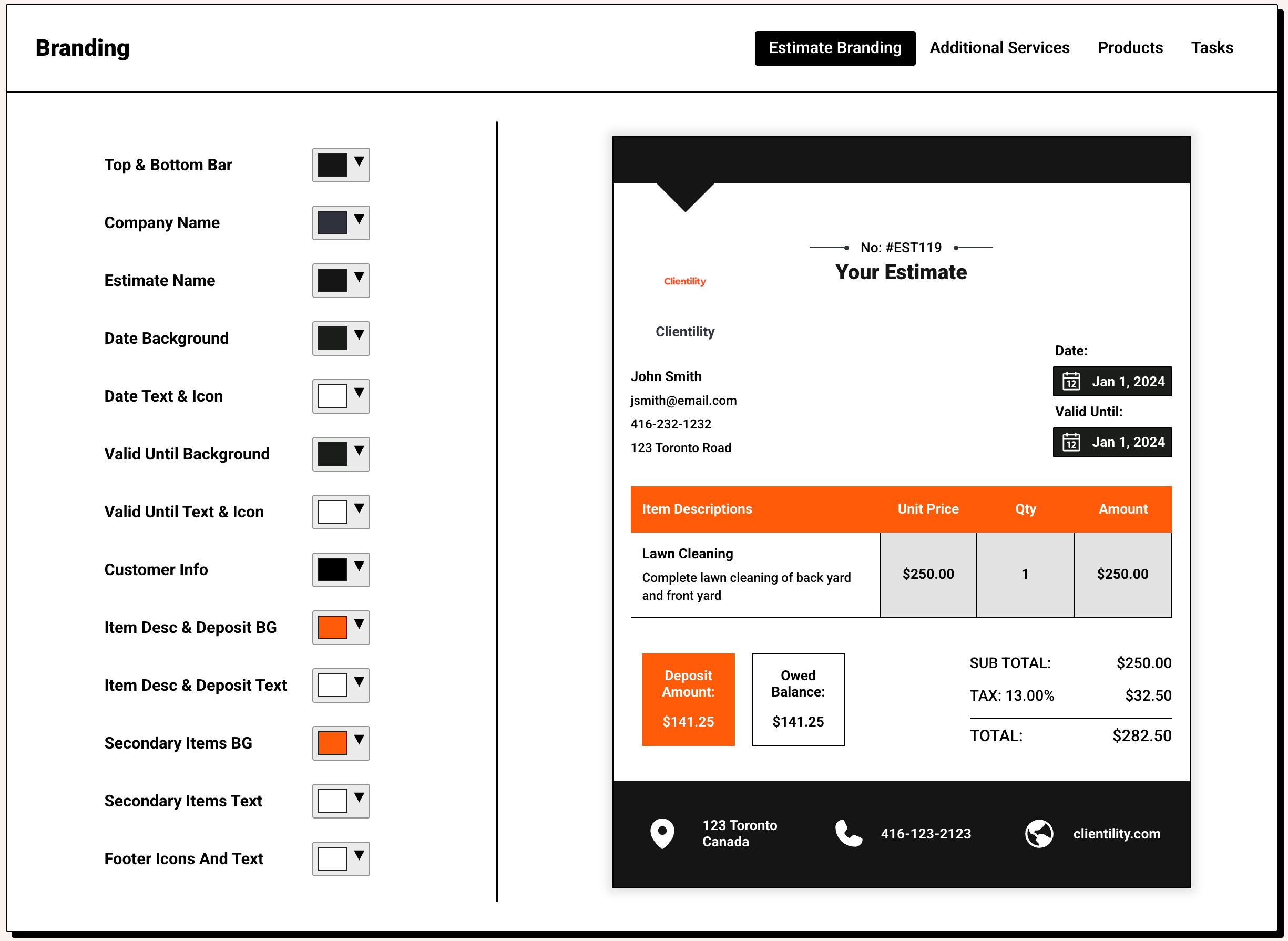
We added this feature because we know it’ll help you make your estimates feel more professional and reflect your brand identity. Now, you can easily incorporate your company logo and brand colors into your estimates. Adding your logo and brand colors doesn’t just make your estimates look better it helps you come across as more polished and professional. It’s a simple way to build trust, make your business stand out, and leave a positive impression on your customers.
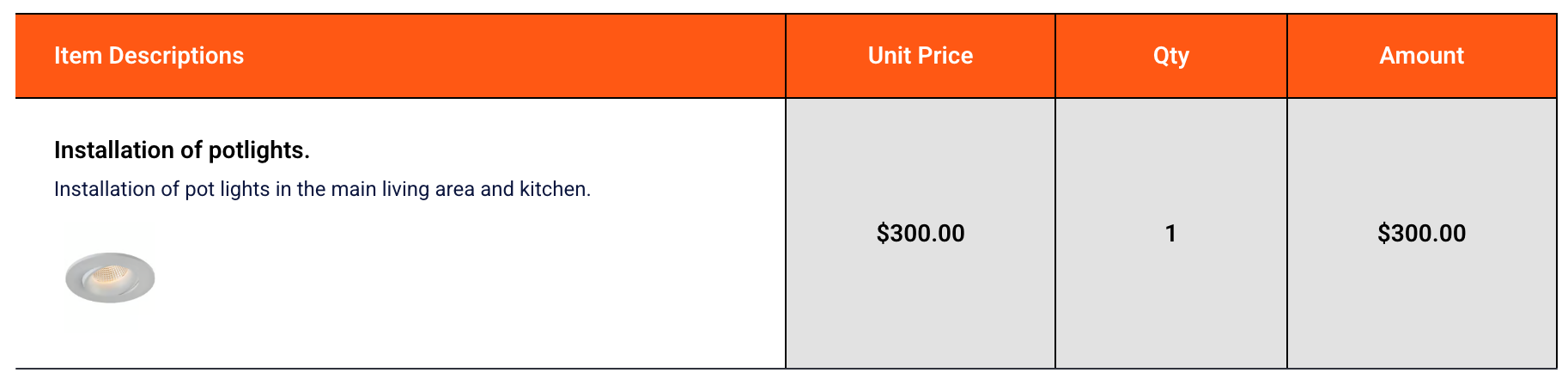
We added this feature to show off the kind of work you do, not just tell. Now, you can add high-quality photos of past projects directly to your estimates. It’s a great way to build trust and help potential customers actually see the quality of your work. When people can visualize what you’ve done for others, they feel more confident saying yes and are often more open to premium upgrades or extra services. These photos don’t just make your estimates look better they help tell the story behind each line item and highlight the value you bring to the table.


