Menu
Clientility allows you to choose whether estimates should be sent by SMS by default. This is helpful if your business often sends estimate links to customers by text message.


Click Settings from the main sidebar to access your account configuration options.
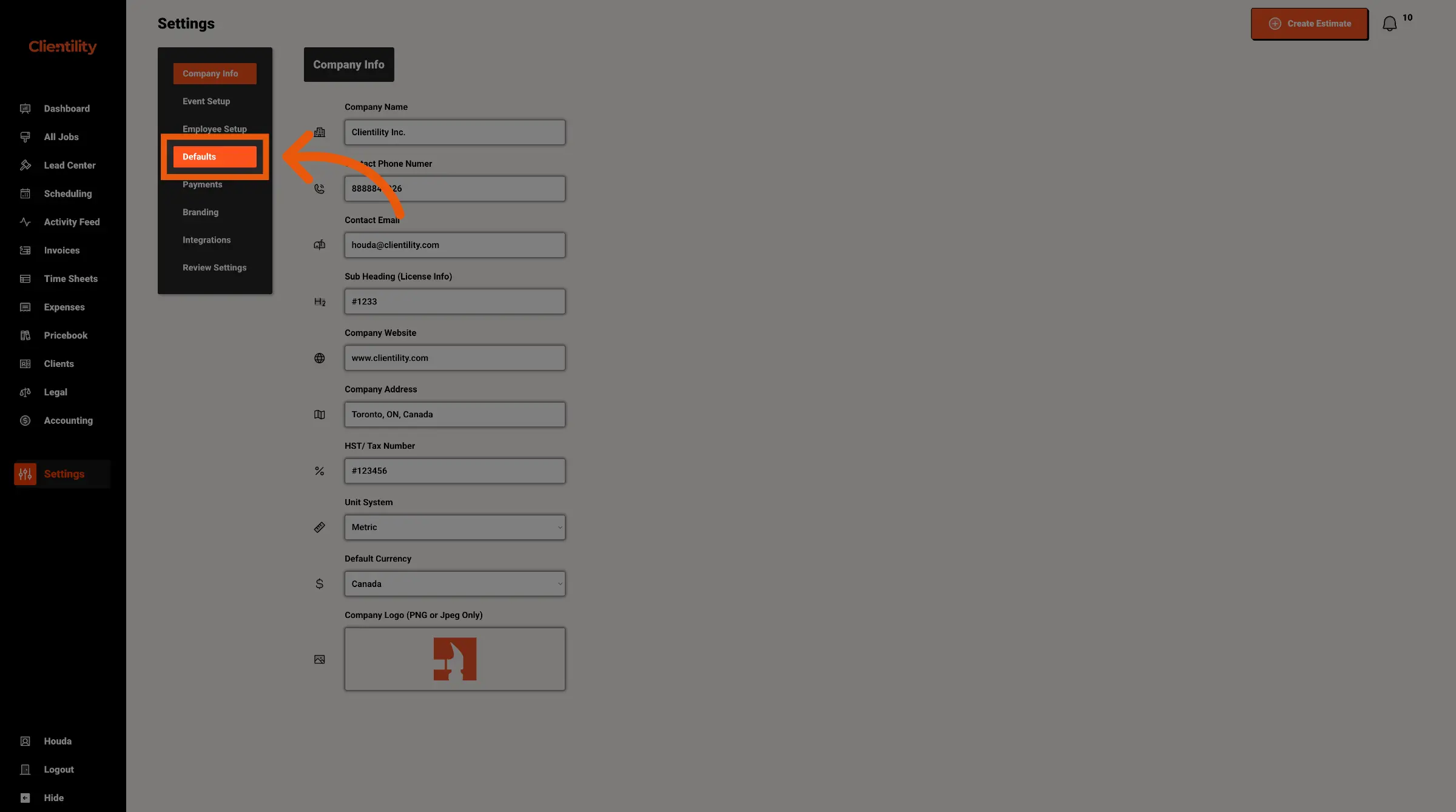
Click Defaults to access your default configuration settings.
This section is where you can manage preset values used across your account.
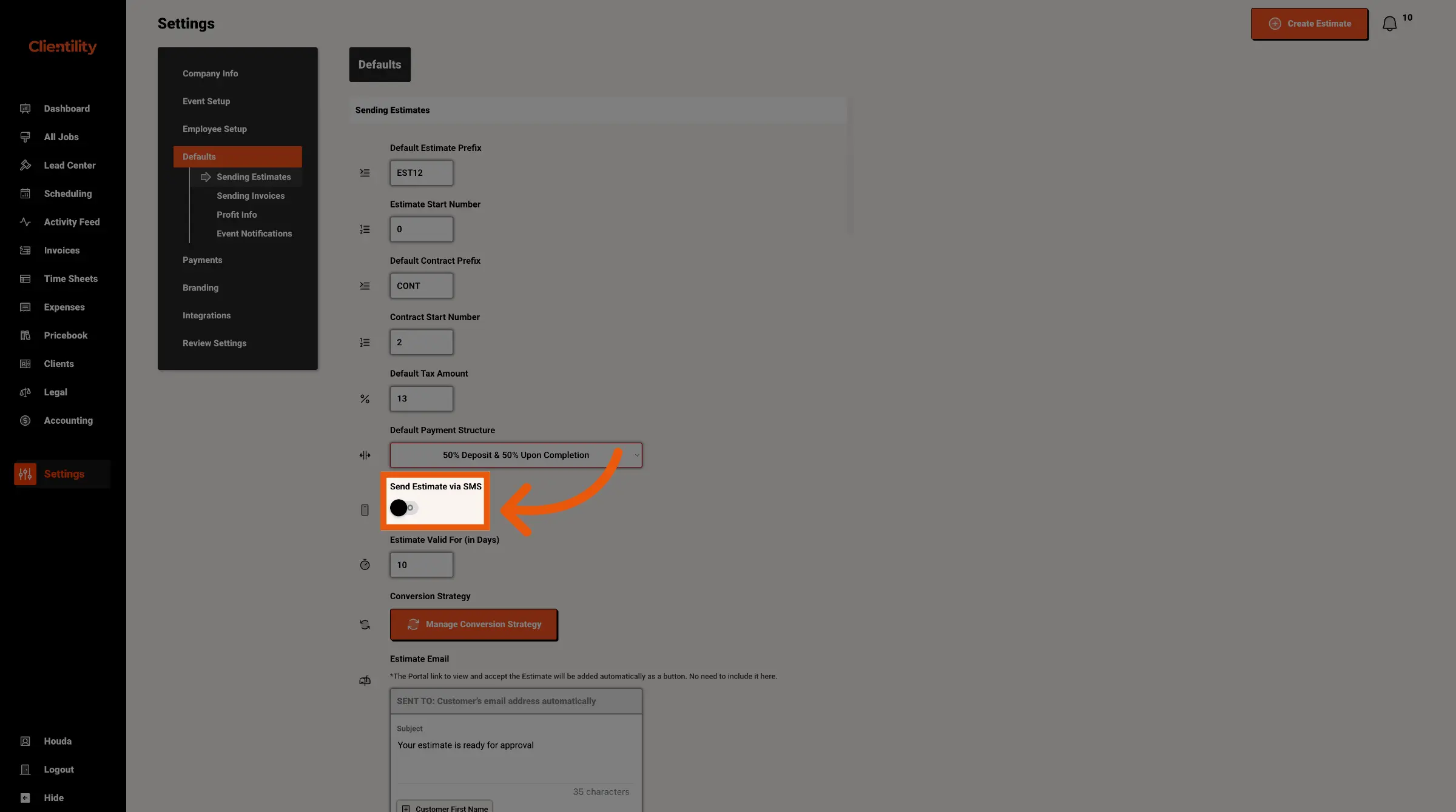
Turn Send Estimate via SMS on if you want SMS to be selected by default when sending estimates.
Turn it off if you do not want SMS selected automatically.