Menu
This guide explains how to update your company information in Clientility. Your company info helps keep your business details accurate across your account and customer-facing areas.


Click Settings from the main sidebar to access your account configuration options.

Click Company Info to view and edit your business details.
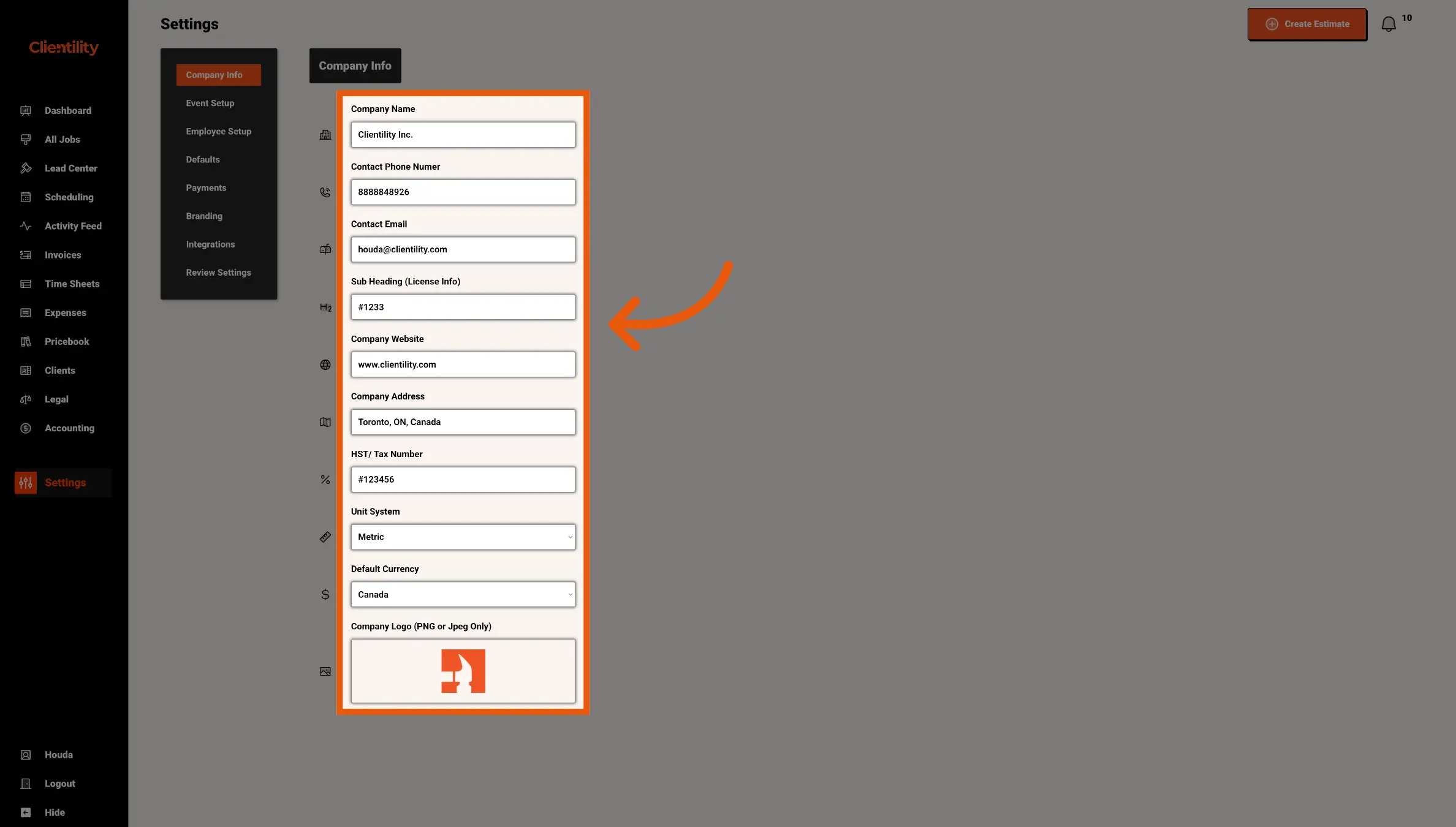
In the Company Info section, update the business details you want to change.
You can edit your Company Name, Contact Phone Number, Contact Email, Sub Heading or License Info, Company Website, Company Address, HST/Tax Number, Unit System, Default Currency, and Company Logo.
Make sure the information is accurate, as these details may appear on customer-facing documents such as estimates, invoices, receipts, work orders, and the Client Portal.